How to Start
- After training a model, open
Benjamin-ASRfrom the Start menu. - If prompted, enter your license key.
- Once the application launches, a top bar will appear at the top of your screen. You can then start speaking, and the software will detect your speech and execute your commands.
The sections below explain the topbar and its features.
Topbar
Topbar works similarly to PolyBar. It manages different workspaces, shows system status, and speech detection output.
- Workspaces: you can switch between 6 workspaces shown with different icons.
- Word detection output: raw result of voice engine.
- Date and time
- Music widget: Pause/play music or go to the next/previous track.
- CPU usage
- Speaker: Click to switch between speaker and headphones. Scrolling will increase or decrease the volume.
- Focused application
- System status: Shows if the system is running, sleeping, or halted.
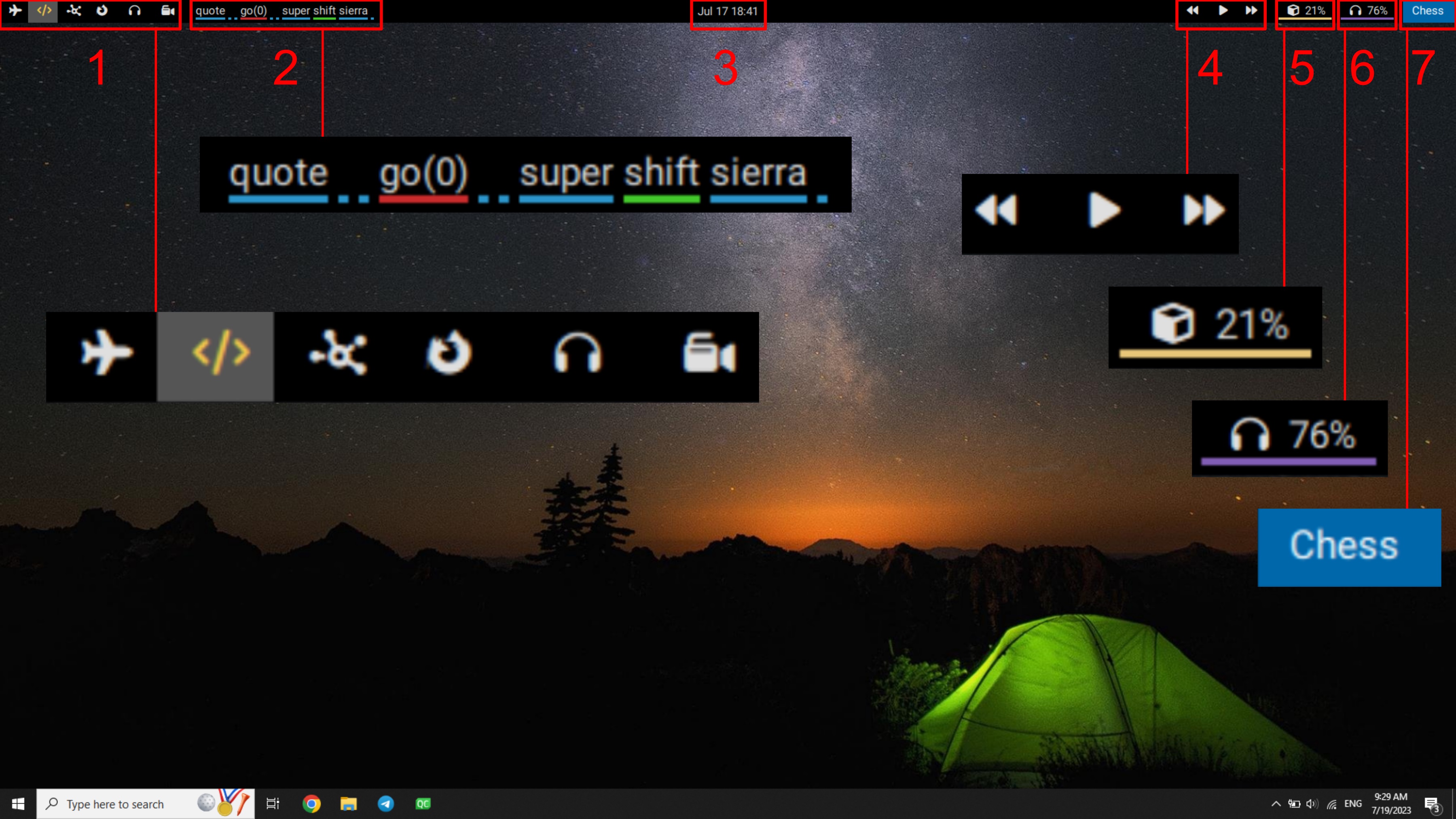
The underline color of each word is set by the neural network, and they are sorted from top to bottom based on the confidence level of detection: (High / Mid-High / Mid-Low / Low)